• Skip to primary navigation
  • Skip to main content

frankdenneman.nl

  • AI/ML
  • NUMA
  • About Me
  • Privacy Policy

Kubernetes at VMworld Europe

October 30, 2018 by frankdenneman

With only a few days left until VMworld Europe 2018 kicks off in Barcelona, I would like to highlight some of the many Kubernetes focussed sessions. I’ve selected a bunch of breakout sessions and meet the expert sessions based on my exposure to them at VMworld US or the quality of the speaker.
The content catalog has marked some sessions as “at capacity”, but experience thought us that there are always a couple of no-shows. Plans change during VMworld. People register for a session they would like to attend but get pulled in an interesting conversation along the way. Or sometimes you suffer from information overload and want to catch a breather. In many cases, spots open at sold-out sessions and therefore it’s always recommended to walk up to sold out sessions and try your luck.

Tuesday 06 November

11:00 – 12:00
[NET1285BE]
(Breakout Session)
The Future of Networking and Security with VMware NSX
This talk provides detailed insights into the architecture and capabilities of NSX-T. We’ll show how NSX-T addresses container workloads and integrates with frameworks like Kubernetes. We’ll also cover the multi-cloud networking and security capabilities that allow consistent networking policies across any cloud, public or private. Finally, we’ll look at how SD-WAN has become part of the NSX portfolio, enabling networking and security to be deployed from cloud to data center to edge.  More info.
By Bruce Davie, CTO, APJ, VMware
12:15 – 13:00
[MTE5044E]
(Expert Roundtable)
Selecting the Right Container Platform for Your Use Case with Patrick Daigle
There are a variety of containers and Kubernetes platforms out there in market today. Ever got confused and wanted some expert insight into what types of container or Kubernetes platforms are best suited to your use case?
By Patrick Daigle, Sr. Technical Marketing Architect, VMware
13:15 – 14:00
[MTE5209E]
(Expert Roundtable)
Cloud Native Applications and vSAN with Myles Gray
Learn how vSAN can provide storage for next generation applications autonomously, including Kubernetes, PKS or any K8S distribution and moves the provisioning of storage from the admin into the hands of the developer.
By Myles Gray, Sr. Technical Marketing Architect, VMware
14:00 – 15:00
[CNA1553BE]
(Breakout Session)
Deep Dive: The Value of Running Kubernetes on vSphere
In this technical session, you will find out how VMware vSphere provides a lot of value, especially in large-scale Kubernetes deployments. With 20 years of engineering experience in kernel and distributed computing, VMware solved many challenges Kubernetes currently faces. Building on work done with enterprises running Kubernetes at scale, you will see a hypothetical customer scenario to illustrate the benefits of running Kubernetes on top of VMware vSphere and avoid the common pitfalls associated with running on bare metal. More info.
By Frank Denneman, Chief Technologist, VMware
Michael Gasch, Customer Success Architect – Application Platforms, VMware
15:30 – 16:30
[HCI1338BE]
(Breakout Session)
vSAN: An Ideal Storage Platform for Kubernetes-controlled Cloud-Native Apps
The session discusses how VMware’s HCI offering (vSphere and vSAN) is becoming a platform of choice for deploying, running and managing the data needs of Cloud-Native Applications (CNA). We will use real world examples to highlight the benefits of an HCI control plane for Kubernetes environments. More info.
By Christos Karamanolis, Fellow and CTO Storage & Availability, VMware
Cormac Hogan, Director and Chief Technologist, VMware

Wednesday 07 November

11:15 – 12:00
[MTE5057E]
(Expert Roundtable)
Next-Gen Apps on vSAN by expert Chen Wei
Are you planning to migrate your next-gen workload to the vSAN cluster? Attend this roundtable to talk to our vSAN Solutions Architect about different aspects regarding putting Next-gen applications on vSAN. Those aspects include the next-gen application deployment best practices, performance tuning, availability/performance trade-off. Bring the questions and let’s talk.
Chen Wei, Sr. Solutions Architect, VMware
12:30 – 13:30
[CNA1493BE]
(Breakout Session)
Run Docker on Existing Infrastructure with vSphere Integrated Containers
In this session, you will find out how to run Docker on vSphere with VMware vSphere Integrated Containers. See a live demo on how vSphere Integrated Containers leverage vSphere for isolation and scheduling. Find out how vSphere Integrated Containers are the ideal way to host containers on vSphere, providing a Docker-native experience for end users and a vSphere-native experience for IT. More info.
By Patrick Daigle, Sr. Technical Marketing Architect, VMware
Martijn Baecke, Cloud Evangelist, VMware
13:15 – 14:00
[MTE5116E]
(Expert Roundtable)
Function as a Service with Mark Peek
During this roundtable, we will discuss Dispatch, the VMware framework for deploying and managing serverless style applications.
By Mark Peek, Principal Engineer, VMware
15:30 – 16:30
[DC3845KE]
(Keynote)
Cloud and Developer Keynote: Public Clouds and Kubernetes at Scale
This session will cover VMware’s strategy to deliver an enterprise-grade Kubernetes platform while supporting the needs of DevOps and CloudOps teams. VMware’s Cloud and Developer keynote will outline how to deliver developers a consistent experience across native clouds while enabling operators with more flexibility and control for how they support next generation workloads. More info.
By Guido Appenzeller, CTO, VMware
Joseph Kinsella, Vice President and CTO, Products, CloudHealth, VMware
15:30 – 16:30
[CNA2755BE]
(Breakout Session)
Architecting PKS for Production: Lessons Learned from PKS Deployments
In this session, you will get a deep dive into PKS within the context of real-world customer deployment scenarios. The speakers will share the lessons learned from their successful PKS and NSX-T deployments, and show you how to architect PKS for a production environment.
Come and learn about the do’s, don’ts, and best practices. After this session, you will be better equipped to deploy and manage enterprise-grade Kubernetes in your infrastructure and use NSX-T to bridge the gap in network and security for container workloads.
By Romain Decker, Senior Solutions Architect, VMware
Dominic Foley, Senior Solutions Architect, VMware

Thursday 08 November

15:00 – 16:00
[NET1677BE]
(Breakout Session)
Kubernetes Container Networking with NSX-T Data Center Deep Dive
In this session, you will get technical details of how the NSX-T Data Center integration with Kubernetes in Pivotal Container Service (PKS), OpenShift, and upstream Kubernetes is implemented. Get a deep dive into each identified problem statement, find out how the solution was implemented with NSX-T Data Center, and see a demo of each of the solutions live on stage using PKS with NSX-T Data Center. More info.
By Dennis Breithaupt, Sr. Systems Engineer (NSX), VMware
Yasen Simeonov, Technical Product Manager, VMware

Product Preview

This year the UX team organizes design studios that allows you to provide feedback on a future product. The product you will see will blow your mind. But since it’s NDA, I can’t tell 😉 Just show up and see for yourself!
Every day – multiple sessions available
[UX8011E]
(Design Studio)
Kubernetes on vSphere
Do you want to offer Kubernetes? Explore user interface concepts for managing containerized cloud native applications using vSphere together with other products such as PKS.
This session is part of the VMware Design Studio where you have the opportunity to participate in interactive sessions exploring technical previews and early design ideas. Because of the early nature of these designs, participants will be asked to sign a Non-Disclosure Agreement (NDA) to participate.
By Boaz Gurdin, User Experience Researcher, VMware
Pamel Shinh, Product Designer, VMware
Hope to see you there. Enjoy your VMworld!
Filed Under: Kubernetes, VMware

Repeat Session vSphere Clustering Deep Dive at VMworld Europe

October 22, 2018 by frankdenneman

Good news for the VMworld attendees who couldn’t sign up anymore for the vSphere Clustering Deep Dive session on Tuesday. I’m happy to announce that the VMworld team scheduled a repeat session for the vSphere Clustering Deep Dive session on Thursday 08 November at 10:30 to 11:30.
Session Outline
In this session, Duncan and Frank will take you through the trenches of VMware vSphere Distributed Resource Scheduler (DRS) and vSphere High Availability (HA). Find out about options to optimize your DRS settings for your specific requirements and goals, such as if you should be load balancing on active or consumed memory, as well as what has recently changed in the DRS algorithm and if it will impact DRS behavior. And for vSphere HA, you will learn about when it restarts virtual machines (VMs), what kind of restart times to expect, and where you can find evidence that a VM (or multiple) have been restarted. You will find out about all of these items and more. Prepare to dive deep, as the basics will not be covered.
Don’t wait too long with registering, VMworld Europe room sizes max out at 400 people. We hope to see you there!

Filed Under: VMware

Compute Policy in VMware Cloud on AWS

October 19, 2018 by frankdenneman

The latest update of VMware Cloud on AWS introduced a new feature called compute policies. In its initial release, the compute policies provide the ability to configure affinity rules and mobility control based of declarative policies and vSphere tags.
Management of affinity rules
Historically, affinity rules are a part of the cluster configuration. Within VMware Cloud on AWS, cluster configuration is controlled by VMware and thus customers cannot set affinity rules for virtual machines running within the SDDC. Instead of merely pulling the affinity rules configuration outside the cluster configuration, we decided to improve the affinity functionality and work towards a more uniform and consistent experience across multiple clouds.
The road to declarative policies
Within a declarative system, you describe what you want to happen. This is the opposite of imperative operations where you specify actions. Declarative commands define state and to some extent affinity rules are declarative statements. Let’s take VM anti-affinity rules as an example. You want to keep VM1 and VM2 separated and keep them in different fault domains. Instead of providing imperative actions of pinning VM1 to host A and pinning VM2 to host B, you create an anti-affinity rule with VM1 and VM2 as members. You state that these two VMs should not run on the same ESXi host. vCenter (DRS) controls placement and takes the necessary actions to solve any violations of this intent. We want to apply this model to other features.
Instead of logging into vCenter to deal with configuration issues, and manually correct the situation, we want vCenter to manage the functions of your behalf. The way you interact with vCenter, in this more declarative way, is with policies. Instead of specifying more detailed imperative actions, you would declare your intent and the only thing you want to monitor after that is whether the policy is compliant or not.
We have to start somewhere, thus we concentrated on affinity rules (VM-VM and VM-host) and anti-mobility (vMotion disabled) policies. Once we have this more abstract way of interacting with vCenter Server, it provides more advantages. One of them is an additional level of abstraction. And abstraction allows for a more uniform and consistent experience across multiple clouds.
With today’s ability on-prem setup, you configure your cluster for a particular workload and this could inhibit the ability to move your workload to another cluster, on-prem or even to the cloud. To make sure you can easily burst out to VMware Cloud environments, you want this to be seamless. The directions where we are going to is that you do not need to have configurations that are specific to on-prem clusters and in-cloud or at-edge clusters. But ideally you express what you want and it should be the job of the cloud control plane, such as vCenter, to push this configuration to the environment the workload is presently in. So that could be to an on-prem cluster or an in-cloud cluster.
Compute policies are active at vCenter level
Due to this model, the rules are decoupled from cluster level and are now managed at vCenter level. If you would configure a VM-VM anti-affinity rule and you would move the VMs to another cluster, the policy remains active.
At the time of writing, VMware Cloud on AWS allows the customer to create 10 clusters per SDDC. Clusters can span multiple AWS availability zones (AZs). The VM-Host affinity ruleset allows customers to tag the hosts per AZ and tag the VMs that needs to remain in that availability zone. You can move the VMs to hosts between clusters within the same AZ, the compute policy remains active while vCenter ensures the compliance of the rule.
Introduction of firm rules
An interesting fact is that the VM-Host rules are firm rules, these firm rules differ from the traditional soft (should run on) and hard (must run on). They sit in between these two rules. DRS cannot violate these rules, only if the host is placed in maintenance mode. This ensures that during normal operations the rules are never broken while providing VMware the ability to service the SDDC. The only time a host is placed into maintenance mode in VMware Cloud on AWS is during upgrades which are handled by VMware and well communicated before the service window. This allows the customer to generate a strategy for these virtual machines well ahead before the service window.
In the next article, I will go through the steps on how to create a compute policy.

Filed Under: VMware

My New Role

October 8, 2018 by frankdenneman

A couple of months ago I joined the Office of the CTO of the Cloud Platform Business Unit and started reporting directly to the CTO, Kit Colbert. Kit asked me to select a few areas to focus on. One of these areas is running Kubernetes on vSphere.
I’ve increased my focus on Kubernetes, as this architecture becomes increasingly important in the datacenter. When talking to customers, two questions I ask is, what is the current ratio of VMs to containers in your data center and what is the most popular format of deployment today? The common response is respectively 90% VMs and net-new is 90% containers. Today’s trend moves away from installing shrink-wrapped software and more towards custom building revenue-critical applications by their development teams.
The standard tool for developers is container-based infrastructure. Kubernetes is the defacto choice of orchestration of containers and consists of many infrastructure-focused options. The operations that interest me are the high availability and resource management operations. It appears these operations replace HA and DRS processes when glancing over them, but when looking more closely they strongly augment each other.
At VMworld in Las Vegas, Michael Gasch and I presented the session “Deep Dive: The Value of Running Kubernetes on vSphere” (CNA1553BU). If you are not going to VMworld Europe, I recommend watching the video recording, if you are going to VMworld Europe I recommend you to sign up.  
One thing you can expect from me is more Kubernetes focused articles. One of the
things that I noticed is that many articles are written by cloud-native natives
for cloud-native natives. I.e. they rely on extensive previous exposure to this
ecosystem. I’m trying to cover some of the challenges I have faced and the
quirks I notice as a “newcomer”.

Filed Under: VMware Tagged With: VMware

Help Us Make vMotion Even Better

October 2, 2018 by frankdenneman

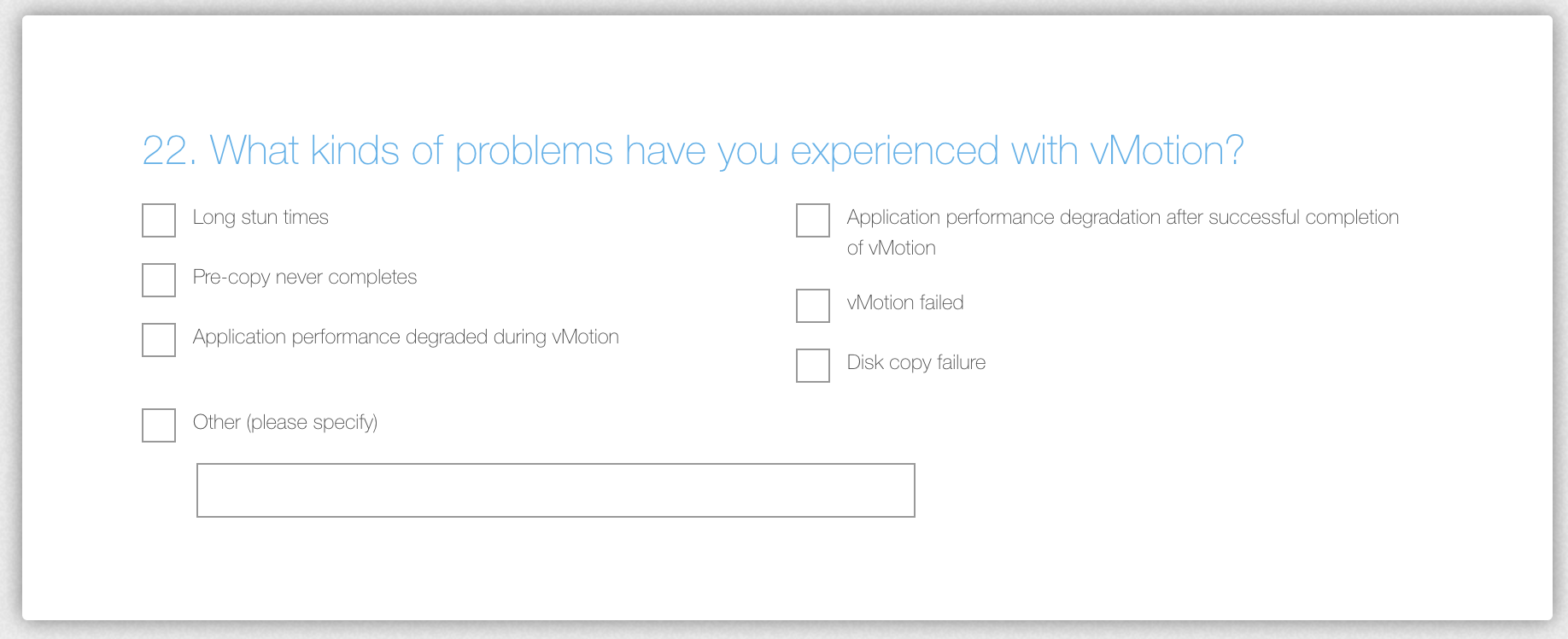
The vMotion product team is looking for input on how to improve vMotion.  vMotion has proven to be a paradigm shift of datacenter management. Workload mobility is a must-have requirement in today’s datacenter operational model. vMotion handles the majority of workload flawlessly. However, there are some corner cases that introduce some challenges. The vMotion product team is interested in these corner cases, to improve the vMotion architecture bringing workload mobility to all workloads everywhere.

It would be very helpful if you can provide us with some more information to make vMotion even better. Thanks!

Take the survey here

Filed Under: vMotion, VMware

  • « Go to Previous Page
  • Page 1
  • Interim pages omitted …
  • Page 15
  • Page 16
  • Page 17
  • Page 18
  • Page 19
  • Interim pages omitted …
  • Page 89
  • Go to Next Page »

Copyright © 2026 · SquareOne Theme on Genesis Framework · WordPress · Log in