
Some applications do not perform well when memory is reclaimed from the virtual machine. Most users set a virtual machine memory reservation to prevent memory reclamation and to ensure stable performance levels.
Memory reservation settings are static, meaning that when you change the memory configuration of the virtual machine itself the memory reservation remains the same. If you want to keep the reservation equal to the virtual machine memory reservation, the UI (included in both the vSphere client and the web client) offers the setting: “Reserve all guest memory (all locked)”.
This setting is linked to the virtual machine memory configuration. The memory reservation is immediately readjusted when the memory configuration changes. Increase the memory size and the memory reservation is automatically increased as well. Reduce the memory size of a virtual machine, and the reservation is immediately reduced.
The behavior is extremely useful when using the vSphere client as management tool. Within the vSphere client the memory configuration and the memory reservation settings do not share the same screen. While changing the memory configuration one can easily forget to adjust the memory reservation.

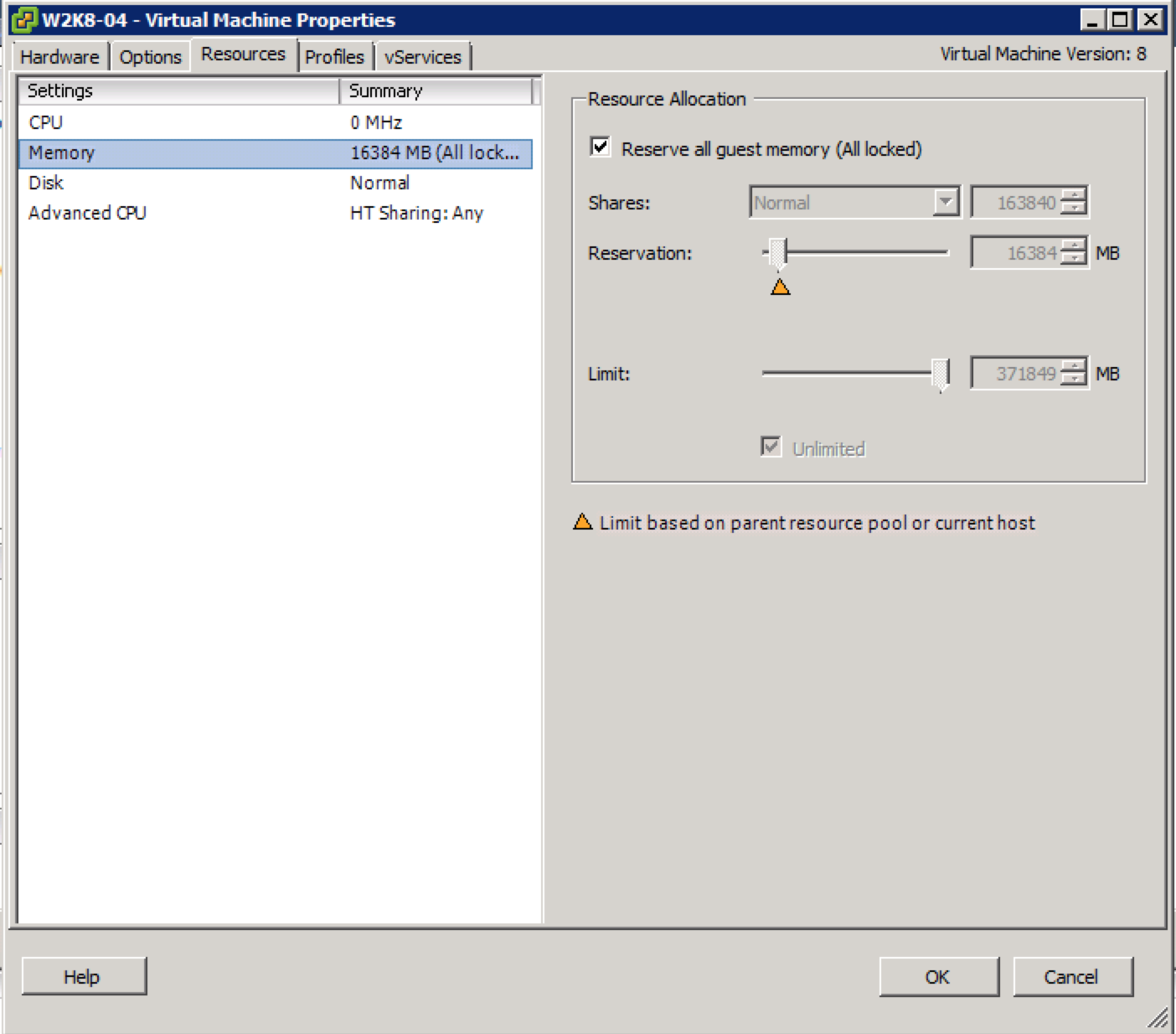
The web client is redesigned and shows the memory configuration and reservation in a single screen. Yet having a setting that automates and controls alignment of memory configuration and reservation reduce the change for human error.
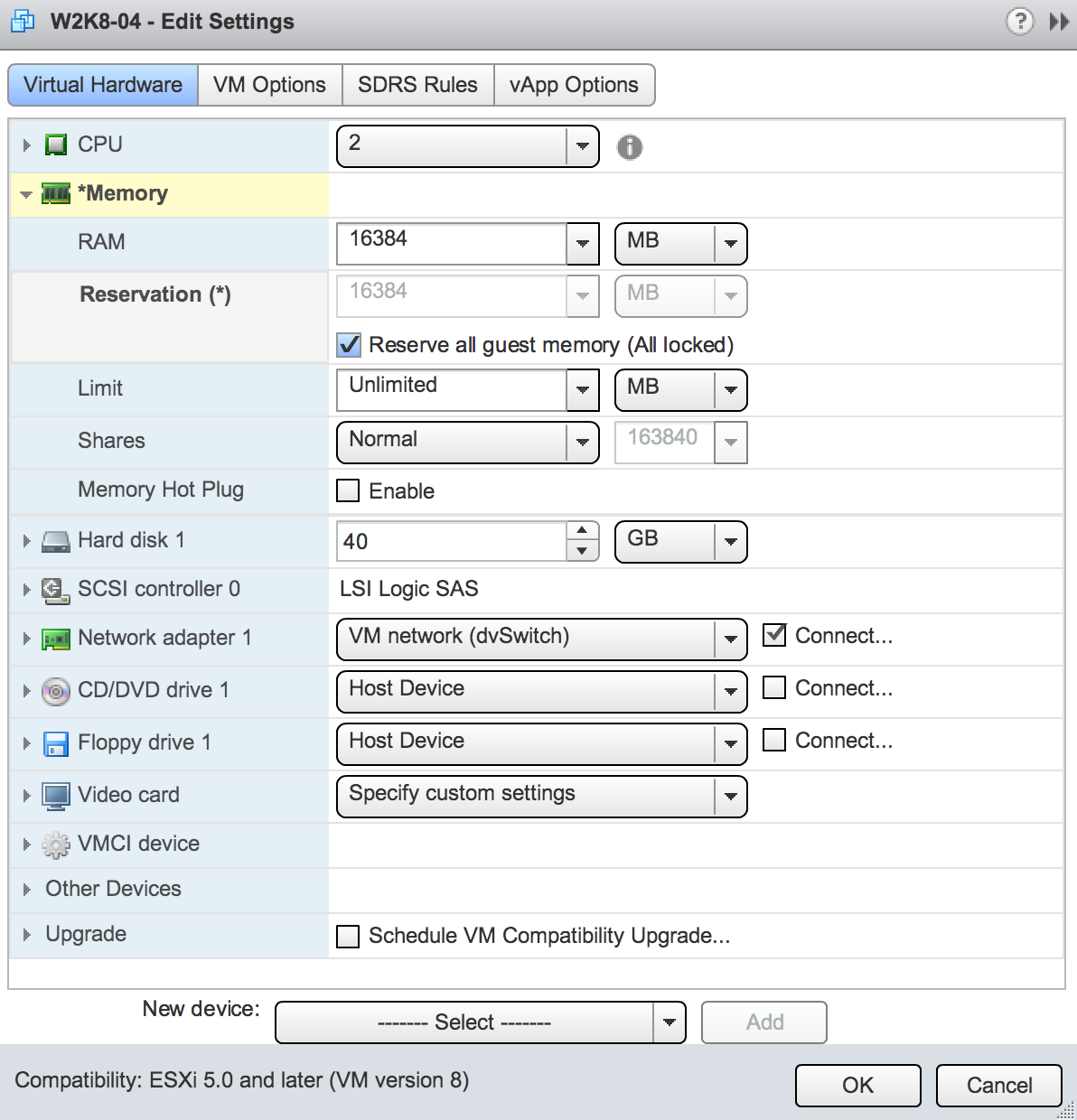
Reserve all guest memory (all locked)
47 sec read


Good point Frank. We’ve seen this problem with CloudPhysics customers many times. i.e. Reservations not keeping with increasing memory sizes.
This is a great new feature. Only available in Hardware version 8 or higher.
Frank, thanks for the interesting blog post. I wonder, if you’re exploring some of the new aspects of the Web GUI, could you perhaps expand on the “Latency Sensitivity” setting that appeared under the “VM Options”/”Advanced” section in a future post? There’s really very little out in the wild about what it is and what it does beyond a quick mention in a whitepaper (http://www.vmware.com/files/pdf/techpaper/Whats-New-VMware-vSphere-51-Performance-Technical-Whitepaper.pdf) and within the API documentation (http://pubs.vmware.com/vsphere-51/index.jsp?topic=%2Fcom.vmware.wssdk.apiref.doc%2Fvim.LatencySensitivity.SensitivityLevel.html).
Cheers,
Sam
Nice feature.
Today, I use a powercli script to reajust VM memory in depending of their service level agrement. For a gold VM, I reserve full memory size. For a silver VM, I reserve half memory size. For a bronze VM, I don’t reserve memory.
I launch this script one time per day.
You mention ‘some applications’. Do you have examples? Does MS Exchange of MS SQL benefit from this setting?
If your application uses caching, such as java or Oracle workloads, it might be better to have the virtual memory backed by physical memory at all times.
Hi Frank,
Nice feature. Steve Ballmer posted that this is limited to HW version 8. I’m gussing it is limited to vSphere 5.1? I’m still on 5.0 and have no such option available on my HW v8 VM’s.
So the “All locked” feature.. did anyone happened to notice you can no longer reset the memory reservation if the “all locked” is checked. So my question is, how do you disable and/or check to see the all locked box in powershell?
Well, found the solution to reset that silly lock.
$guest = Get-VM -Name $vm.Name
$guest_config = New-Object VMware.Vim.VirtualMachineConfigSpec
$guest_config.memoryReservationLockedToMax = $false
$guest.ExtensionData.ReconfigVM_task($guest_config)